 Retracify
Every change to your store, recorded.
Any field, put back.
Track every change to your store and undo any field with one click. Retracify records every edit to your products, collections, pages, articles and metaobjects, down to a single field, so you are never guessing what happened.
Turn back the clock on a bad edit
Install Retracify today and every change from here on has a before, an after and a way back.
Find out what changed when something on your store looks wrong
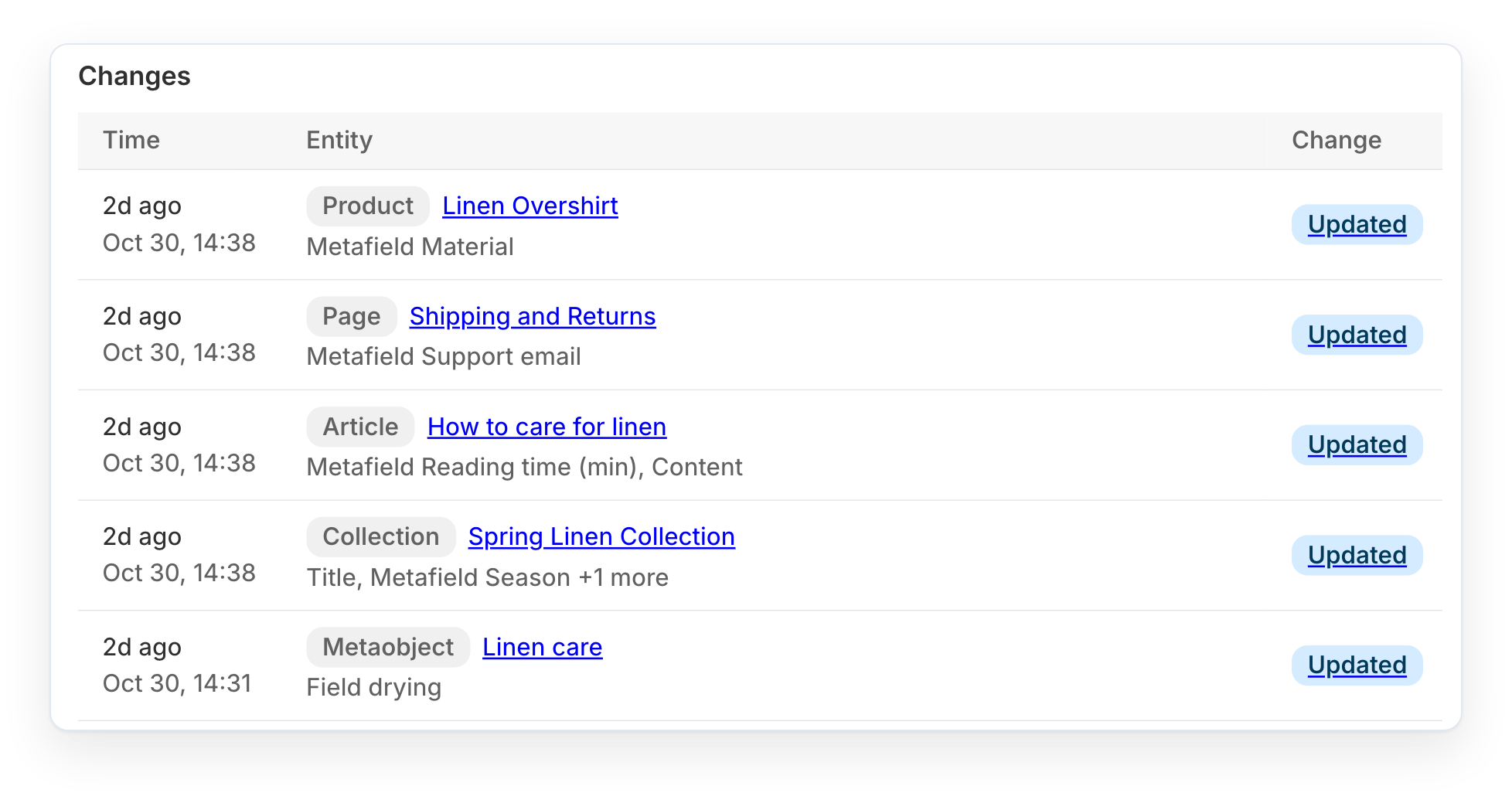
Every edit to products, collections, pages, articles, metafields and metaobjects lands in one log, newest first. Your history starts the moment you install.
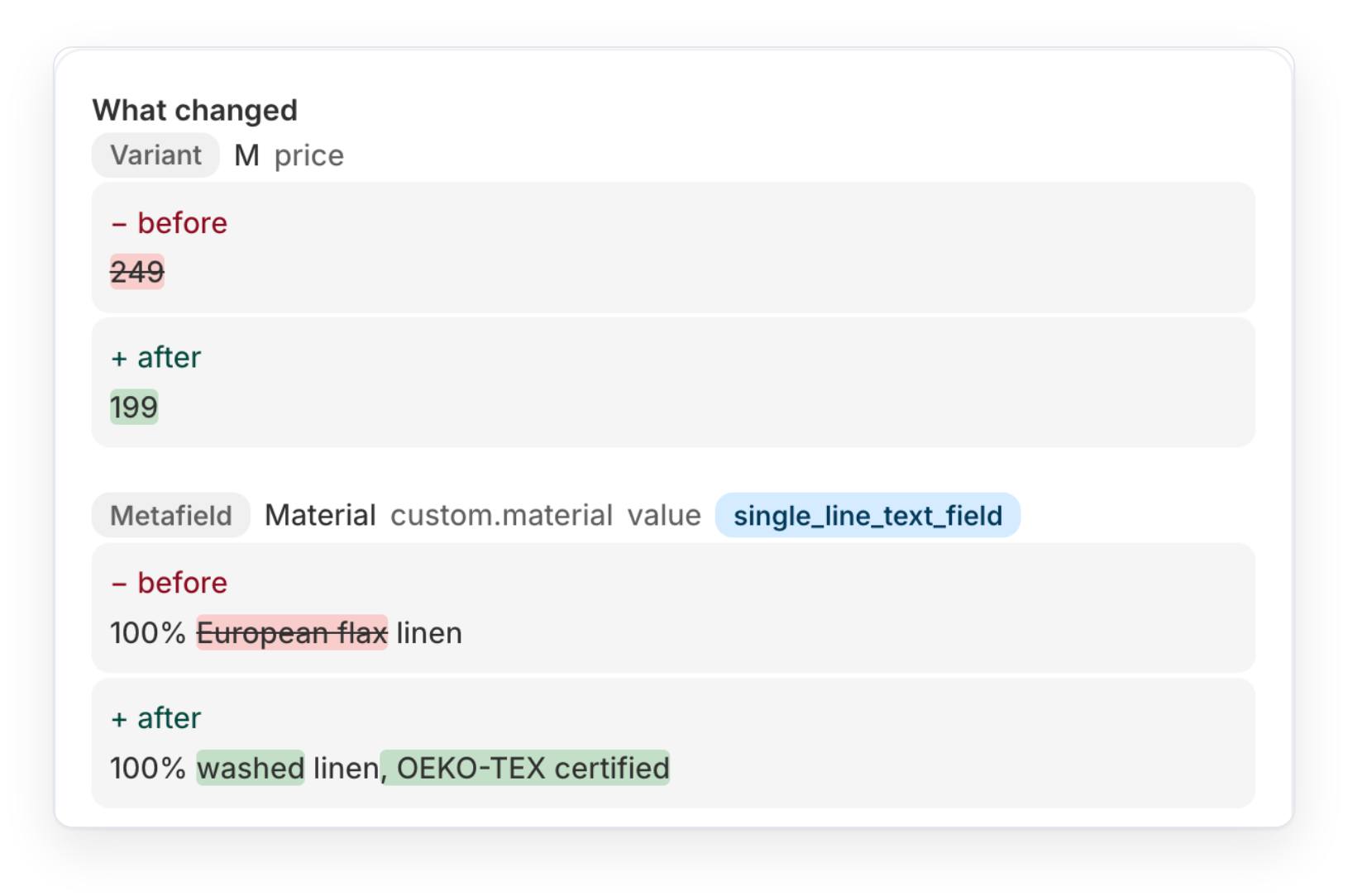
See when a price changed, from what, and to what
Every change shows its before and after, field by field, with the exact words that changed highlighted.
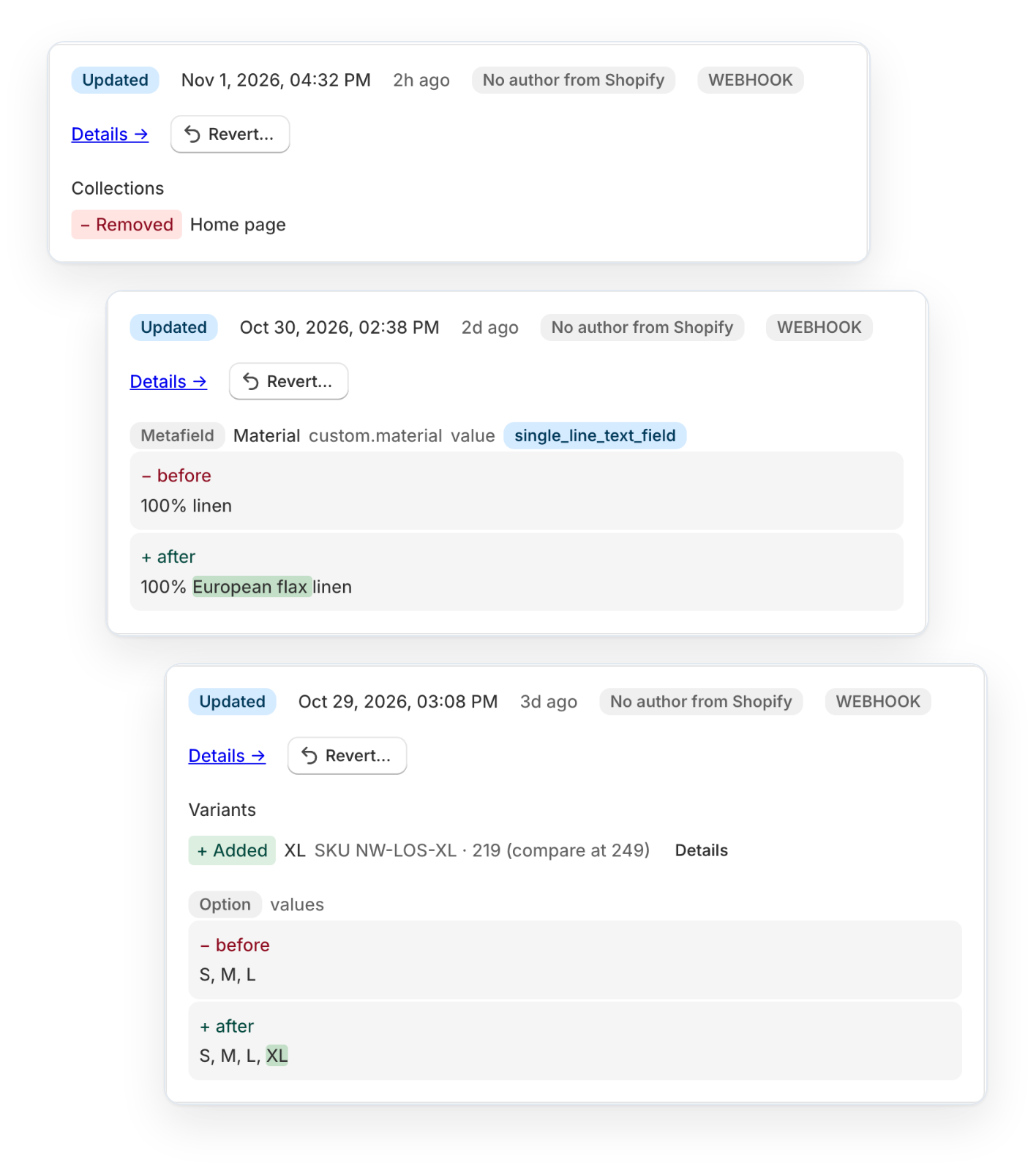
Every change to one product, in order
Open any product, collection, page or article to see its whole timeline in one place: prices, variants, collections, metafields and descriptions, newest first, each with who made it when Shopify records it.
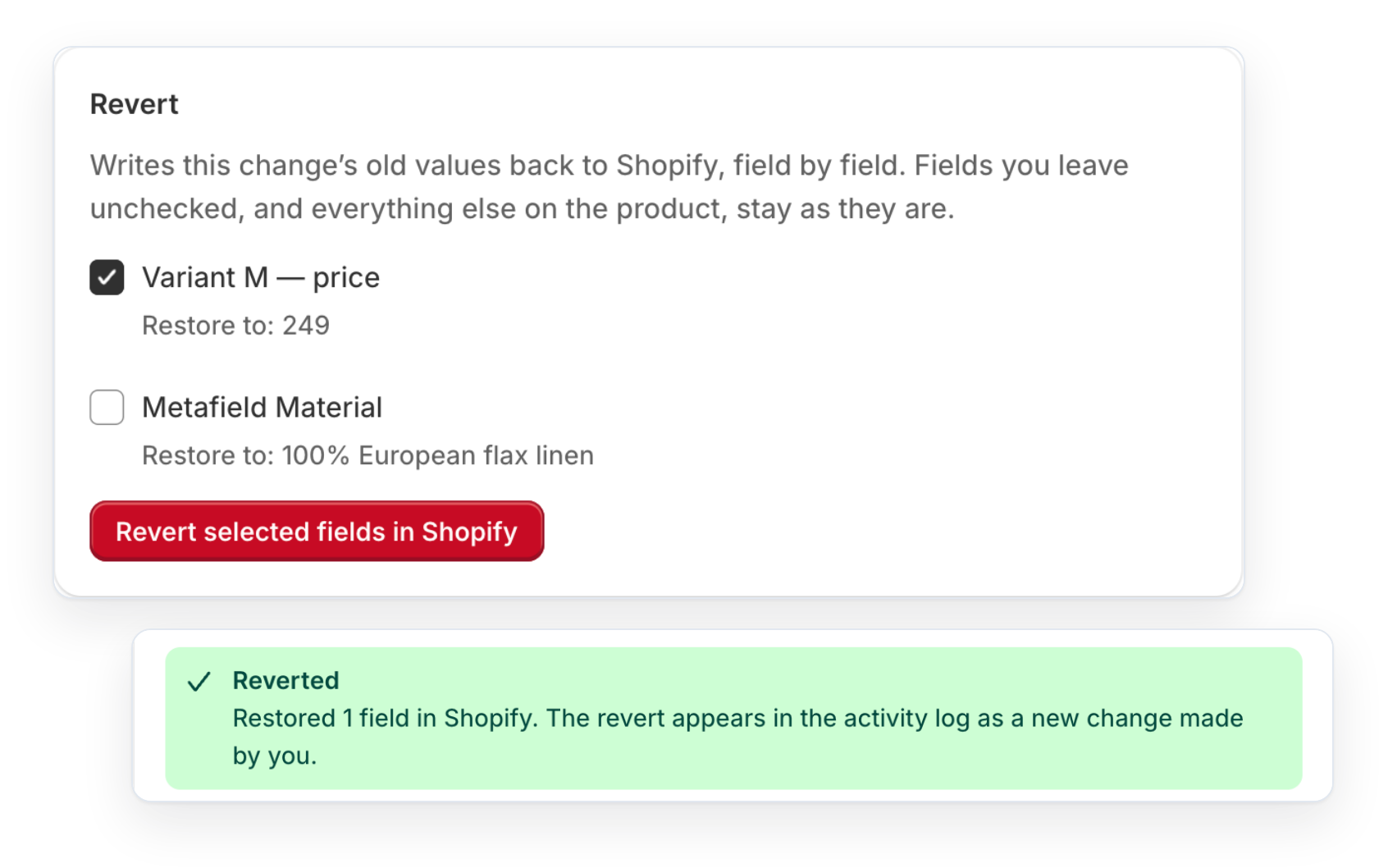
Get back a description an import overwrote
Undo one field at a time: a price, a description or a metafield. Restore only the fields you need, and nothing else on the item changes.
- Checks Shopify's current value first and warns you if someone changed it since
- Each revert is logged as its own change, with the name of the person who clicked it
- Fields that can't be reverted say why, instead of failing silently
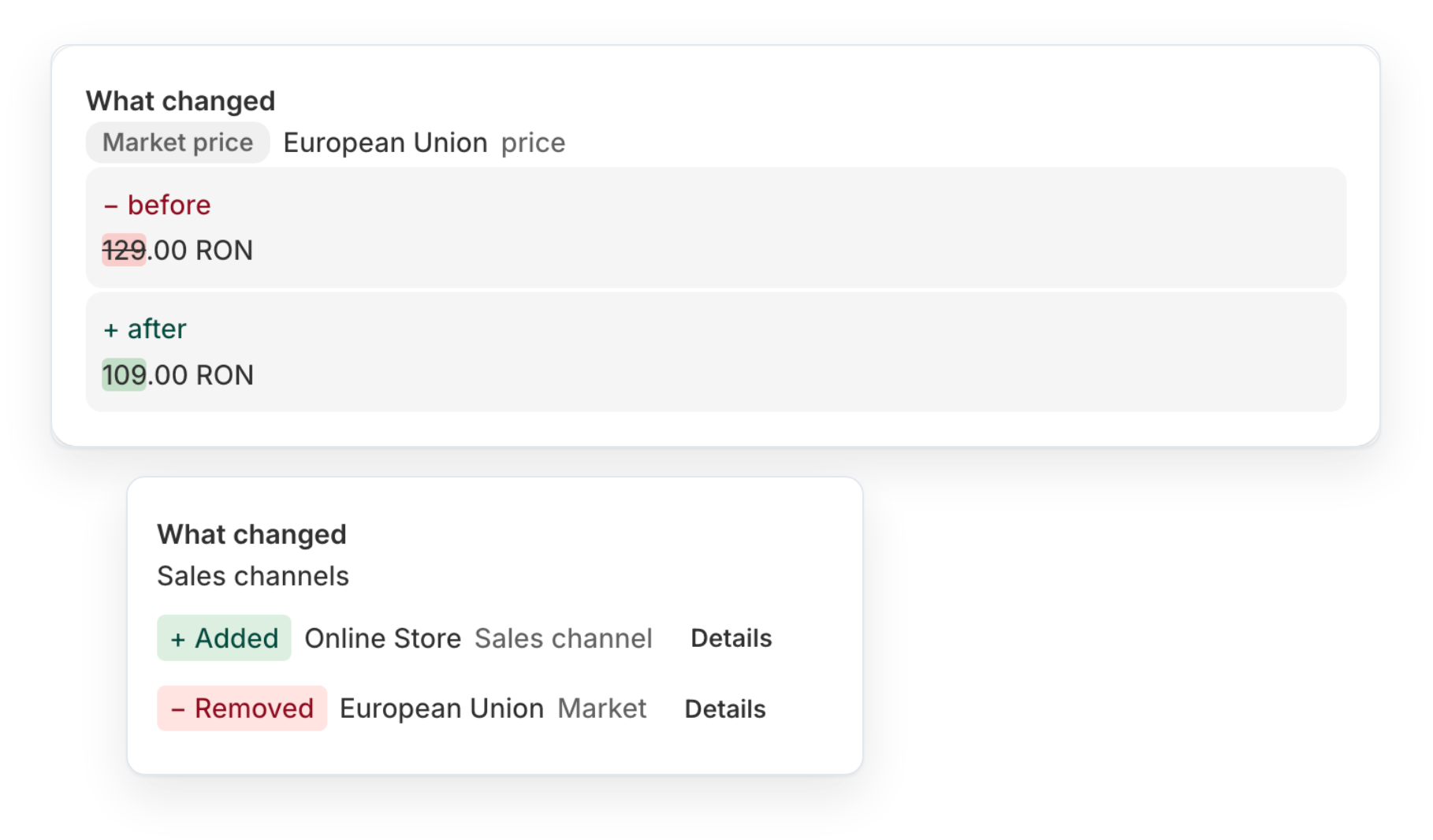
Know when a product was hidden from a sales channel or market
Channel and market changes land in the same history as everything else, along with market price edits that Shopify sends no notification for.
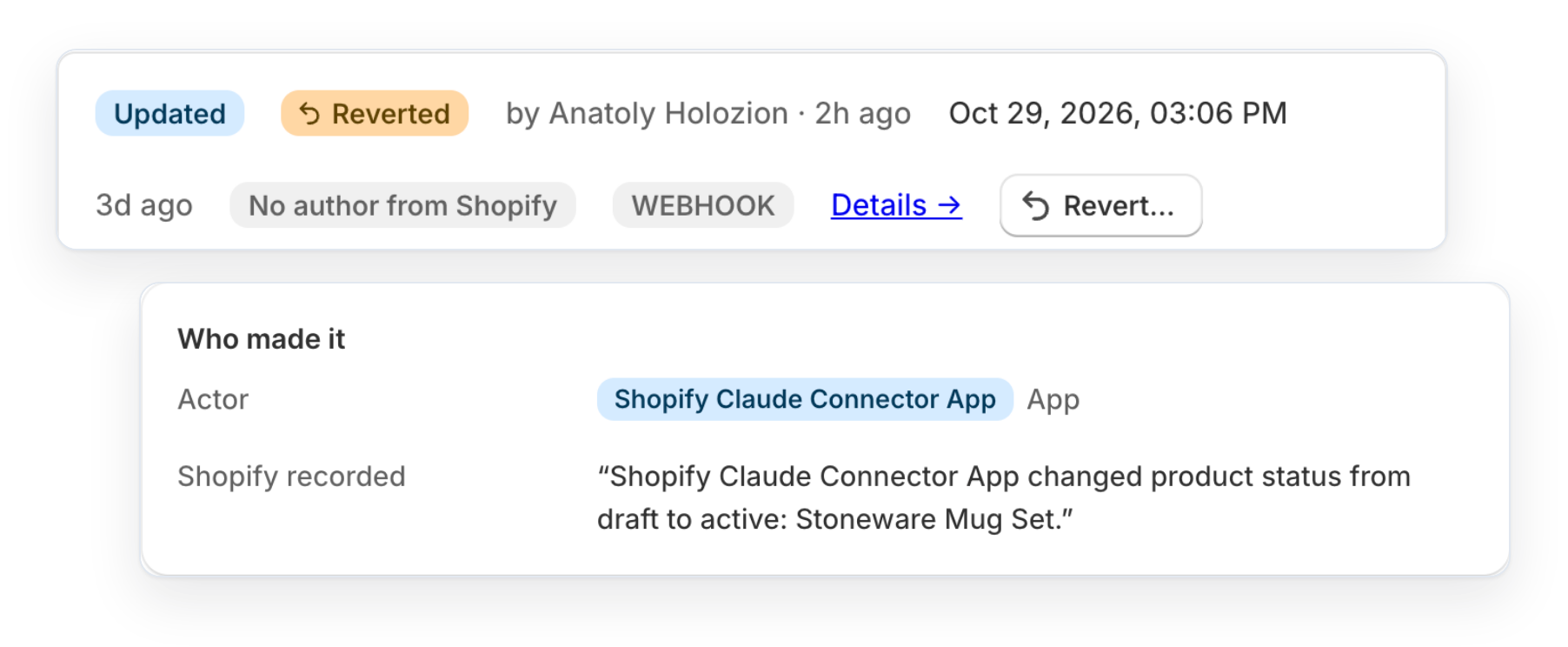
Staff and app names wherever Shopify records the author
See who made a change when Shopify records it. When it doesn't, Retracify says "No author from Shopify" instead of guessing.
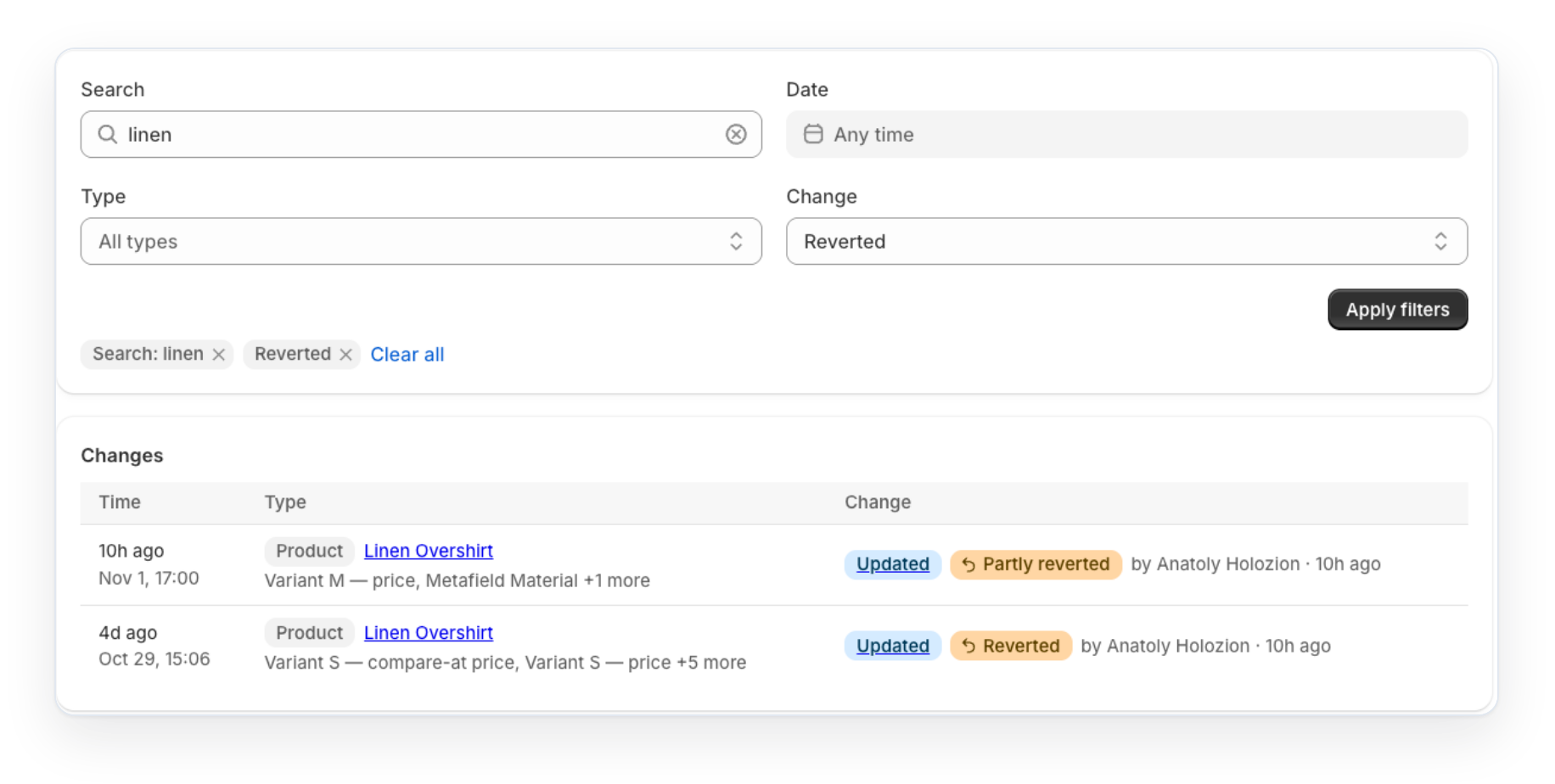
Find any change fast
Search the activity feed by title and filter by resource, change type and date to get to the change behind a problem in seconds. Open any item to see its full timeline, or share a filtered link with your team.
What Retracify tracks
Creates, edits and deletes for everything below.
| Resource | What's recorded |
|---|---|
| Products | Title, description, handle, vendor, type, status, tags, template, SEO, options, media, metafields, sales channels and markets |
| Variants | Price, compare-at price, SKU, barcode, option values, weight, origin, HS code, shipping and tax flags, image, metafields, channel visibility |
| Collections | Title, description, handle, sort order, template, SEO, image, smart-collection conditions, metafields |
| Metaobjects | Every field of every entry, display name |
| Pages, blogs, articles | Title, body, summary, author, tags, published state, template, SEO, image, metafields |
| Market prices | Fixed price and compare-at price for each variant on each market's price list |
Not tracked yet
We'd rather tell you now than have you find out later. Some of these are on the roadmap.
Pick how far back you need to look
Plans differ in how much history you can see, whether you can revert, and which resources are tracked. Every plan starts with a 7-day free trial.
Starter
See what changed and when
- 7 days of change history
- Track changes to products, variants, collections, pages and articles
- Track metafields and sales channel visibility
- See before and after for every changed field
- Advanced filtering and search
- Staff and app names wherever Shopify records the author
- One-click revert
- Market prices
- Metaobjects
Growth
Undo mistakes field by field
- 30 days of change history
- One-click revert
- Track changes to products, variants, collections, pages and articles
- Track metafields, market prices and sales channel visibility
- See before and after for every changed field
- Warns you before overwriting a field someone changed since
- Every revert is logged with the name of who did it
- Advanced filtering and search
- Staff and app names wherever Shopify records the author
- Metaobjects
Pro
A full year, every resource
- 365 days of change history
- One-click revert
- Track changes to products, variants, collections, pages and articles
- Track metaobjects
- Track metafields, market prices and sales channel visibility
- See before and after for every changed field
- Warns you before overwriting a field someone changed since
- Every revert is logged with the name of who did it
- Advanced filtering and search
- Staff and app names wherever Shopify records the author
- Priority support
Prices in USD, billed through Shopify. Yearly plans cost 10 months' price. Changing plans keeps your data: upgrading shows older history again.
What we're building next
Track more of your store
- Theme changesSee what changed in your theme and when.
- TranslationsHistory for translated titles, descriptions and content.
- CatalogsWhen a catalog is published or its contents change.
- Store settings and marketsShipping and payment settings, new markets, exchange rates and domains.
Undo more
- Restore deleted itemsBring back a product, collection or page that was deleted.
- History from before you installedImport changes from your store backups, so you can see and undo single edits made before Retracify was installed.
Closer to where you work
- History on the product pageA block on each product and variant in the Shopify admin with its history and revert.
- Quick actionsOpen any item's history from the More actions menu in Shopify.
- Ask SidekickAsk Shopify Sidekick who changed a product and when.